
Free website Templates, Cheap- damage your Reputation

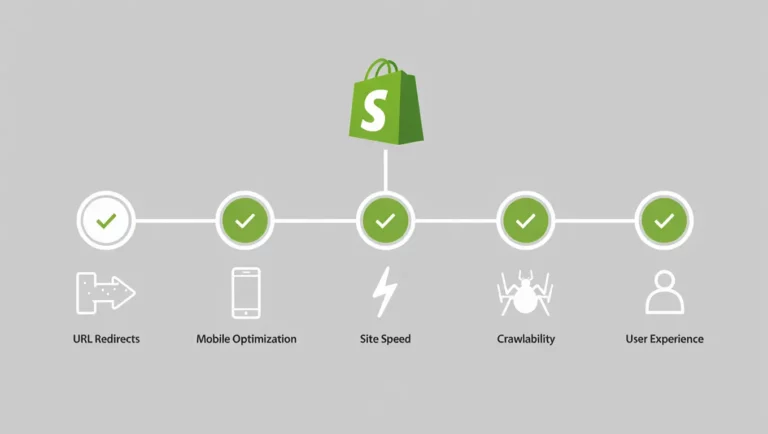
Did you know: nearly 45% of online stores see a small traffic drop in the first 2–3 weeks after moving to Shopify? Even more surprising, about 60% forget to redirect at least 10 pages, which can quietly affect rankings. Here’s a fun one
Shopify migration appears to be a new beginning, but it also raises a lot of questions, especially in terms of SEO. Changing your platform means that your product links will be relocated, the paths of your pages will change, and search engines will need time to familiarize themselves with your new website. Most of the time, at the start, ranking fluctuations or traffic drops occur, which is simply the case with the majority of instances. It does not imply that your SEO is at fault. It just suggests that Google is basically recognizing your remodeling.
However, the actual benefits depend on the reallocation of the shop how it is done. By merely adopting Shopify, you can enhance user experiences with a faster website, better back, end structures, and mobile, friendly interfaces. Such improvements lead to longer stay times of visitors and the facilitation of search engine crawling to the pages. This manual explains the impact of Shopify migration on SEO and the easy steps that save your rankings from drastic decline during the transition.
There are a number of SEO attributes which get changed simultaneously when you move your store to Shopify. Usually, the following changes take place:
| SEO Area | What Changes | Typical Impact |
|---|---|---|
| Page URLs | Old links move to new Shopify paths | Around 30–40% of pages need redirects |
| Traffic | Temporary dip after migration | 10–25% drop in first 2–4 weeks |
| Rankings | Keywords shuffle positions | Stabilizes in 30–45 days |
| Page Speed | Hosting improves load time | Up to 15–20% faster pages |
| Content Transfer | Some data may be missed | Nearly 35% lose small SEO details |
| Indexing | Google re-crawls the site | Takes 2–3 weeks for full coverage |
It is quite normal for your rankings to fluctuate after your migration to Shopify goes live. Search engines recognize your website as a completely new entity after the transition. Although your content is unchanged, URLs get updated, pages load differently, and internal link structures are changed. Google is essentially meeting your store again, so it is natural that some pages may go down while others come up. For a couple of weeks, traffic might be quite volatile.
However, this does not imply that SEO is a failure. What it indicates is that your site is getting inspected and restructured. Usually, stores experience the situation to normalize within one to two months if the redirects are properly implemented, and content is accurately transferred. The main thing about the process is about begin patience and monitoring your pages of the products. Be vigilant about your leading pages, promptly fix broken links, and refrain from making drastic changes during this period. When search engines have completed indexing your new Shopify platform, the rankings generally start to stabilize the pages on the search engine.
Websites don’t just move for no reason. Nobody wakes up thinking it would be fun to mess with their SEO. Usually, it’s because the current setup is a Pain or is BAD for business.
If your system is old, like old content time to change the all the pages and product listings, it slows things down, crashes when things get busy, or can’t support the features you need. If updating feels impossible, it’s time for a change.
If people can’t find the pages or content in the search engine, or search engines don’t understand your pages, make the URL structure proper, and your rankings drop.
Maybe your web address is too long based on the website name, not specific, or doesn’t match your brand anymore. A better URL builds trust and prepares you for the future. It’s about planning and making your online look match your goals.
Your website runs day by day. After the migration, many businesses noted faster loading times, cleaner mobile layouts, and easier content management. Shopify’s in-house hosting service makes pages load quickly and consistently to keep users on them longer and prevent drop-offs. A clearer theme makes it easier for a user to navigate the site and find a product fast. On the backend of the JavaScript has be the less and that will improve the page speed, store owners experience faster changes and less technical work while managing inventory or content.
Using the more user-friendly related content gives more engaging sessions, these changes create a better experience for users and search engines. Search engines rewrite their algorithms all the time. Hence, migration may not be troubling. Satisfactory performance will support growth on the long run. A website that is faster, and easier to use gets longer visits, more interactions and higher conversions. When done right, Shopify migration is not just a technical step, but a practical upgrade to meet business goals and create a stronger foundation for evolution.
Shopify migration becomes a hassle-free experience, if handled with the right steps and procedures. Indeed, fluctuations in ranking can occur temporarily while traffic can appear unstable at the onset. It is part of the process. What’s really important is how much care you take in preparing, moving content and fixing little things quickly after launch. With proper redirects and a controlled structure, along with regular checks, they often come back stronger.
The process of the Migration is more than just changing platforms, from the old site to the new site and giving them more good user experiences a chance to improve speed, refresh content, and build a better experience for users. Never treat SEO as something to think about later. Always do it as part of the move.

we help create the brand experiences of the future through a creative culture rooted in entrepreneurship and partner collaboration.
Address
407, 2nd Main Rd, B Channasandra, Kasturi Nagar, Bengaluru, Karnataka 560043
Phone




© 2026 Kleverway, Bangalore.
WhatsApp us